Oracle Database Top 10 Errors
In the daily operations and development of Oracle databases, certain errors frequently occurred.
Angudi Tech
4/27/20264 min read
Although the Oracle database comprises thousands of documented ORA errors, with new ones being added in the most recent versions, there are several that you are likely to encounter regularly in your work with Oracle. Below is a list of the ten most commonly occurring errors,
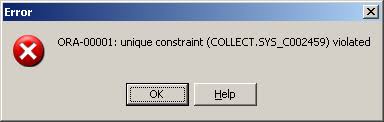
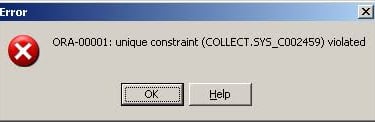
1) ORA-00001: Unique Constraint Violated:
This guarantees the uniqueness of entries within a column. Whenever a duplicate entry is detected in a specified column that has a unique constraint, unique index, or primary key established, it applies to update, insert, or merge statements.
To address the error that has arisen, it is essential to ensure that duplicate values are not inserted into columns where constraints and keys have been established. It is advisable to formulate a preliminary SQL query utilizing all_constraints, all_indexes, and all_cons_columns, allowing for the verification of constraints for errors prior to executing the master statement.
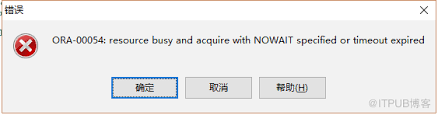
2) ORA-00054: Resource Busy and Acquire with NOWAIT Specified:
A session acquires exclusive locks on a resource to perform its operations. If another session attempts to acquire a lock on the same resource, it will encounter an error until the first session releases the lock, provided that the NOWAIT option is used or a short timeout is configured at the database level.
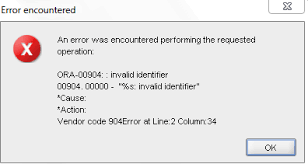
3) ORA-00904: Invalid Identifier:
This error occurs when a query is executed on columns that are either invalid by name or inaccessible. This issue primarily arises with application data, as it is crucial to address this during the data modelling phase in the database.
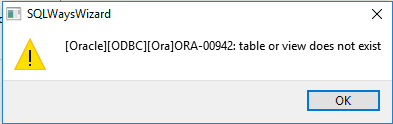
4) ORA-00942: table or view does not exist:
This error occurs when the source table for the row is not accessible. This situation may arise if the table or view associated with that table is not physically present. Additionally, even if the table or view is physically present in the database, the error will still appear if the user lacks the necessary access rights to that object.
To address the issue, it is recommended to conduct a precheck on the same table or view prior to executing the master script. After the precheck, script has been successfully completed, proceed to run the master script with a green flag.
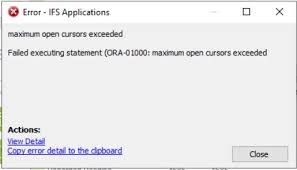
5) ORA-01000: Maximum Open Cursors Exceeded:
Cursor is an area in Library Cache of Shared Pool to hold Oracle client work area. When application not able to close open cursors properly and at the same time asks for new cursors this error occurs. Even when application in real need of cursors and database memory has less capacity this can occur. OPEN_CURSORS parameter in database manages cursor usage.
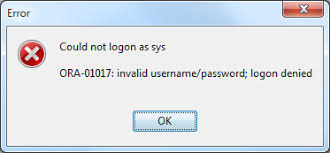
6) ORA-01017: Invalid Username/Password; Logon Denied:
Access to database or it’s components is made through login username and it’s password. When user, through application or directly logins with wrong set of credentials, this error is occurred.
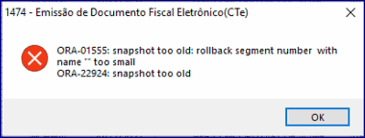
7) ORA-01555: Snapshot Too Old:
When a query holds a lock on record for update, inset operation, Oracle database collects previous image of that record, so another transaction using same record can have committed rows only. All this previous data is managed in Undo tablespace.
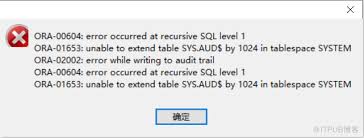
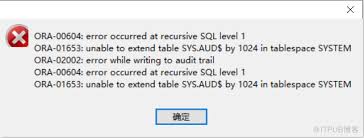
8) ORA-01653: Unable to Extend Table:
A table serves as the main storage allocation for a user to keep data within it. A table exists within a tablespace. Each tablespace comprises a collection of multiple tables and associated data. Every tablespace is allocated a certain amount of physical space through datafiles at the operating system level. Thus, when a tablespace runs out of available space, the tables contained within it experience pressure for free space. This situation leads to an error that arises when the space in a specific tablespace is depleted.
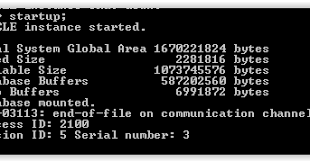
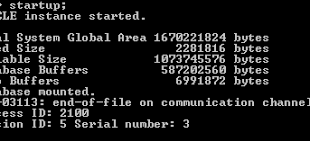
9) ORA-03113: end-of-file on communication channel:
This is the case Oracle database had established throughput channels over OS or internally and any of the channels is broken and Oracle not able to complete the work. This is so much general error that directly we can not find root cause of the problem.
This error could happen during below activities,
(1) While running ETL load, sql query and other sql activity.
(2) Can happen for connections on same OS, JDBC/ODBC connections or any other remote connections.
(3) For Oracle internal operations.
(4) This could happen due to OS, related software or Oracle software bugs.
More details about this error can be obtained from alert log file for that instance.
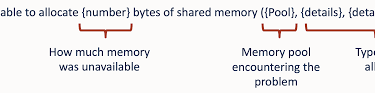
10) ORA-04031: Unable to Allocate [X] Bytes of Shared Memory:
An allocation for shared memory for the database exists within the specified RAM configured at the database level. This error arises when there is a strain on its requirements in the database. Contiguous free space requirement in large pool or shared pool is needed to load large space objects in memory. When this memory area is fragmented or inadequate in space database struggles to house large objects in memory and hence this error is occurred.
To get rid of this error, tune shared pool, large pool, pinning of objects in memory, check out for memory contentions time to time.